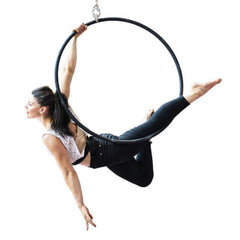
 Aerial Disciplines


 Handstand
 Balance
 Balls
Balls


 Clubs
Clubs


 Juggling Rings
 Diabolo
 Professional Silicone Clown Noses
 Manipulation Hats
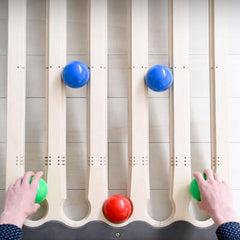 Juggle Board
 Soap Bubbles
 Circus Schools and Juggling courses
 Fire Props
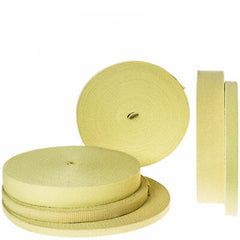 Kevlar® Wicks
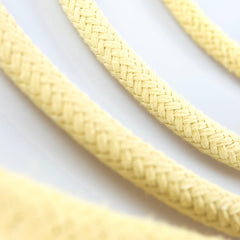 Kevlar® Ropes
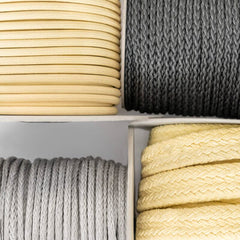 Special ropes in Technora and Kevlar®
 7075 - Tubing for fire prop manufacturers
 Contact Poi
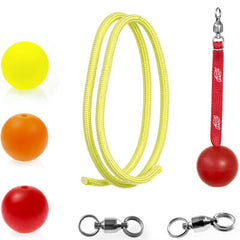 Poi and Flow Arts Components
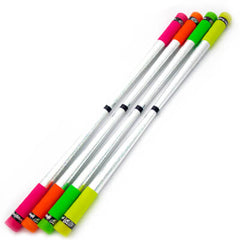 Devilstick
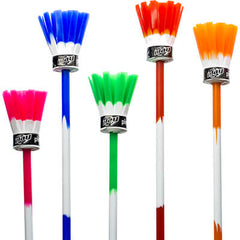 Flowerstick

Order tracking
This page shows the position of the parcel, in the language selected in the shop. The tracking number and the postcode of the address to which the order was shipped are required.
The postcode is the check that prevents someone who has only the number from reading the route of the parcel. Without the postcode the search does not start.
The tracking number is not the order number. The order number is in the payment confirmation email. In the email it is preceded by a hash, for example #1234; on the page Make a return it is entered without the hash: 1234, not #1234. The tracking number is the carrier's code, usually longer, and is in the email sent when the parcel left. If both are available, use the tracking number on this page.
Reading the status
1
Find the number
Open the shipping email, not the order confirmation email. The code is the one the carrier calls tracking, shipment, or parcel. If the email is not available, open the Play Juggling account and the order: the tracking number, once the parcel has left, is shown there. Enter the code in full, letters and numbers, without omitting the end.
2
Postcode to enter
Enter the postcode of the address to which the order was shipped. If delivery is to another person, use the postcode of that address. If the address was an office or a pickup point, use the postcode given in the order. A postcode that does not match does not find the shipment: the carrier compares the two data and, if they do not match, shows nothing.
3
Status displayed
On submission of the form the carrier's status appears, in the language of the shop. The steps already recorded are shown: accepted, in transit, out for delivery, delivered. The delivery date, if present, shows whether the return is still within the time limit. The time limits are not a single one: “The product is different from what was described” and “The product is damaged” have 30 days from the order; “I no longer need the product” and “Wrong size ordered” have 14 days from the order. The details are on the page Make a return. The status may update some hours after delivery: if the parcel has just been delivered and is still shown in transit, repeat the search later.
If the search does not succeed
The shipment is not found
Check that the tracking number was entered in full and that the postcode is that of the delivery address. Remove spaces at the beginning and at the end. If the parcel left recently, the carrier may not yet have the first update: wait a few hours. If the result is still empty the next day, write to sales@playjuggling.com with the order number.
Only the order number is available
With only the order number this page cannot look up the parcel, because the carrier does not recognise that number. The tracking number is sent when the parcel is shipped, in a separate email. If the email cannot be found, the tracking number is in the account, on the order. The order number, without the hash, is the number to enter on the page Make a return.
When to request the return
When the status shows that the parcel has been delivered. If the return is opened earlier, the form often reports that the order is not yet shown as delivered: that is the same delay on the carrier's side. As soon as it is shown as delivered, open Make a return and select the reason. The prepaid label is sent by email only if the reason is borne by Play. For “I no longer need the product” and for “Wrong size ordered” no sheet is sent: the customer bears the shipment. This page shows only the position of the parcel.
Status in a language other than the one selected
The result follows the language of the shop, the one selected at the top, not the browser language and not the carrier's language. If a different language appears, change the language of the site and repeat the search: the numbers remain in the form.
When the parcel is shown as delivered, the return is opened from Make a return. This page does not print the label. The prepaid label is sent by email only for the reasons borne by Play. For the other reasons no sheet is sent. Make a return